Uscope V5: Complete Redesign of the User Experience
It's official: Uscope V5 has been live since January 26, 2026! Our ecosystem gets a complete makeover with a full redesign of the user interface. Modernized design, smooth experience, advanced personalization: this new version marks a major turning point in skills development to strengthen employability. On the program: Dark Mode, dual interface levels (Zen and Focus), bulk editing, multiple views, and much more. Uscope V5 truly adapts to you, whether you're a beginner or an experienced user. Discover now a completely redesigned experience, built to showcase your skills throughout and across your entire life.
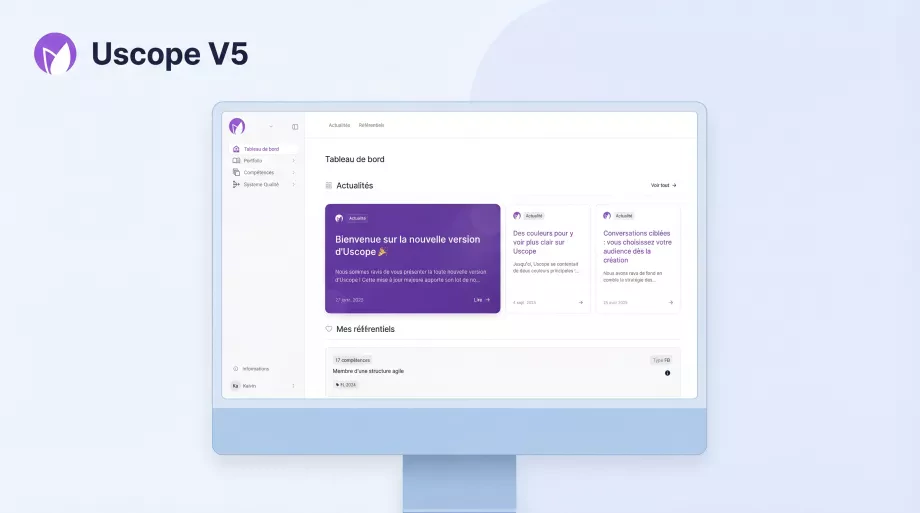
A New User Experience
Uscope V5 is a major technical and visual transformation. We completely redesigned the database, optimized the backend, and modernized the frontend. The result? A smooth, pleasant, and high-performance interface that meets your expectations.
The user experience was placed at the heart of this redesign. Every element was reworked to offer intuitive navigation, a clean design, and optimal execution speed. Whether you're comfortable with digital tools or prefer a guided approach, Uscope V5 adapts to your profile and usage context.
What's New in Brief
🌙 Dark Mode
The dark mode makes its debut in Uscope V5. Improved visual comfort, reduced eye strain during extended sessions: Dark Mode activates with a single click to match your preferences and work environment.
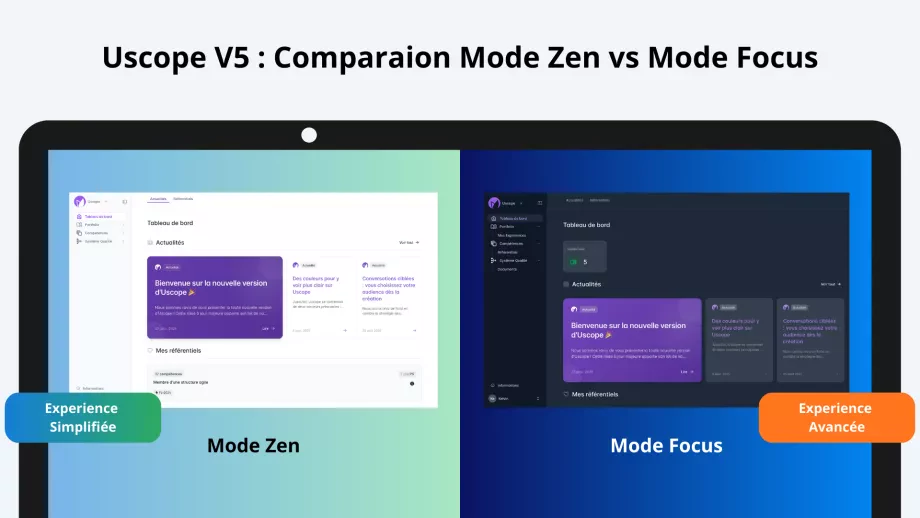
🧘 Zen Mode & 🎯 Focus Mode
Uscope V5 offers two interface levels to meet everyone's needs. Zen Mode provides a streamlined, guided experience, ideal for beginners or for a gentle introduction. Focus Mode unlocks all advanced features for experienced users who want full control. Switch modes with a single click based on your context!
⚙️ Bulk Editing
A considerable time-saver: multiple selection now allows grouped actions across all modules. Edit, move, or delete multiple items simultaneously with tenfold efficiency.
🖼️ Image Cropping & Drag-and-Drop
Drag-and-drop upload simplifies adding visuals to your portfolios. The built-in cropping tool lets you adjust your images directly in the interface for perfect visual consistency. Your portfolios gain professionalism without extra effort.
📊 Multiple Views
Uscope V5 enriches visualization options with the addition of List View and Card View, complementing the existing views. Each user chooses the view that best suits their workflow and visual preferences.
Log In and Explore
Uscope V5 has been live since January 26, 2026. Log in now and explore the new interface. The visual and functional experience has been redesigned to offer you a modern, smooth ecosystem tailored to your needs.
Want to learn more about Uscope's possibilities for your institution or professional journey? Contact us: our team is available to answer your questions and guide you through the V5 discovery.
Welcome to the new version of your ecosystem. 🚀